# Contact form

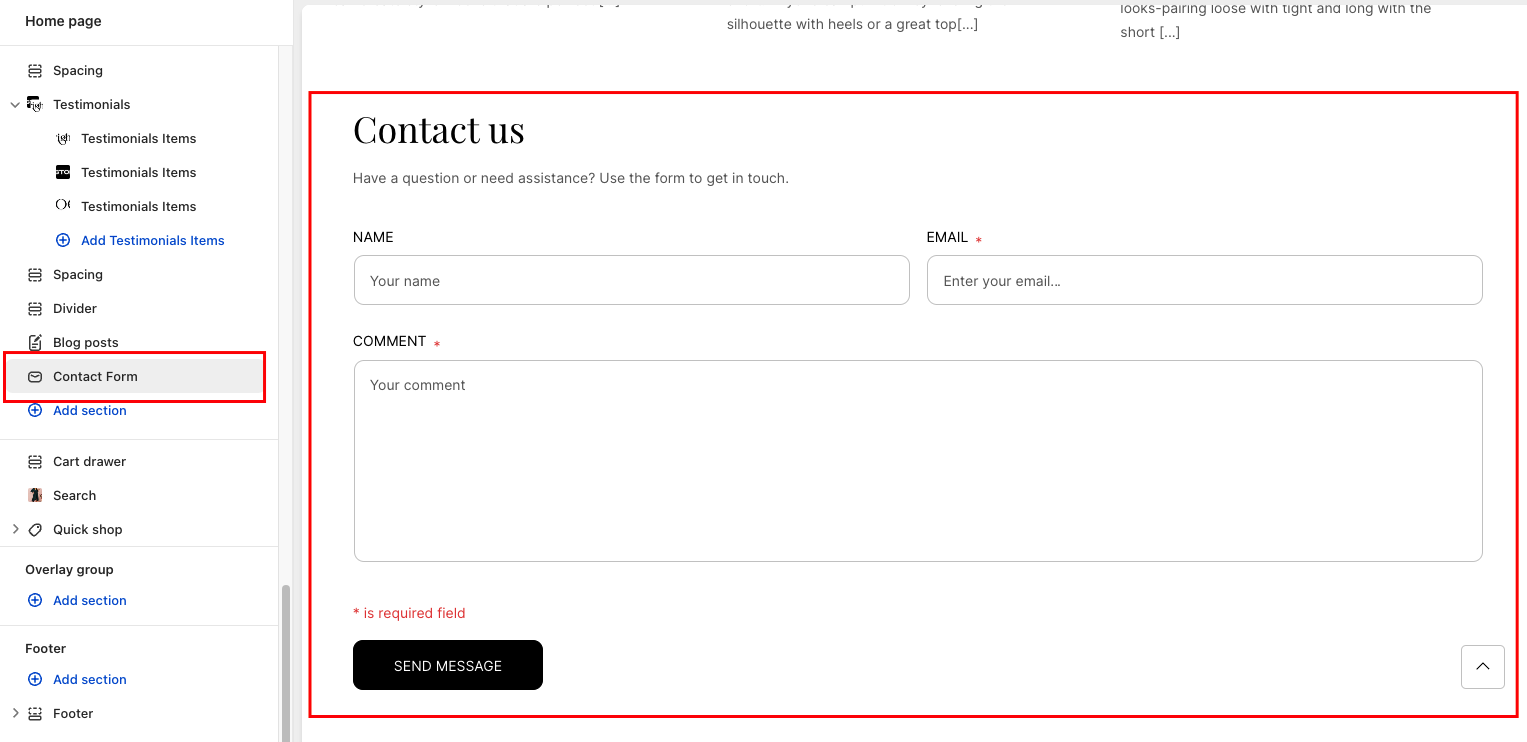
A **Contact form** on a website enhances accessibility, provides efficient customer support, generates leads, collects valuable data, adds professionalism, and reduces spam, all contributing to an improved website experience.

<figure><img src="https://2603381870-files.gitbook.io/~/files/v0/b/gitbook-x-prod.appspot.com/o/spaces%2FzHrRp9fYeFj0SVV6k2dP%2Fuploads%2FWuxydMcFAJtNhPtgeyDE%2Fimage.png?alt=media&#x26;token=64e58a82-b29a-4ccb-b0ec-3c8fe8ec7d06" alt=""><figcaption></figcaption></figure>

## Section settings

### General setting

<table data-full-width="false"><thead><tr><th width="143">Setting</th><th>Description</th></tr></thead><tbody><tr><td><strong>Section width</strong></td><td><p></p><p>3 options for container</p><ul><li><em><strong>Stretch width</strong></em>: span the section width regardless of screen size.</li><li><em><strong>Fix width</strong></em>: depends on your page content width in <strong>Theme settings</strong> <strong>-></strong> <strong>Layout</strong>.</li><li><em><strong>Expand full width</strong></em>: takes up the entire space on the page and it usually resizes itself to fit the size of the screen.</li></ul></td></tr><tr><td><strong>Color scheme</strong></td><td>Select colors from <strong>Theme settings -> Colors</strong></td></tr><tr><td><strong>Heading</strong></td><td>The title of the section</td></tr><tr><td><strong>Description</strong></td><td>The description of the section</td></tr><tr><td><strong>Alignment</strong></td><td><p>The position of the heading and description.</p><ul><li>Left</li><li>Center</li><li>Right</li></ul></td></tr></tbody></table>

### Contact Form

<table data-full-width="false"><thead><tr><th width="143">Setting</th><th>Description</th></tr></thead><tbody><tr><td><strong>Name</strong></td><td>Text brief hint inside name field</td></tr><tr><td><strong>Email</strong></td><td>Text brief hint inside email field</td></tr><tr><td><strong>Message</strong></td><td>Text brief hint inside message field</td></tr><tr><td><strong>Button label</strong></td><td>The title of the button</td></tr></tbody></table>

### Section padding

* **Top padding:** Customize the top margin of the section
* **Bottom padding:** Customize the bottom margin of the section
