# Store location

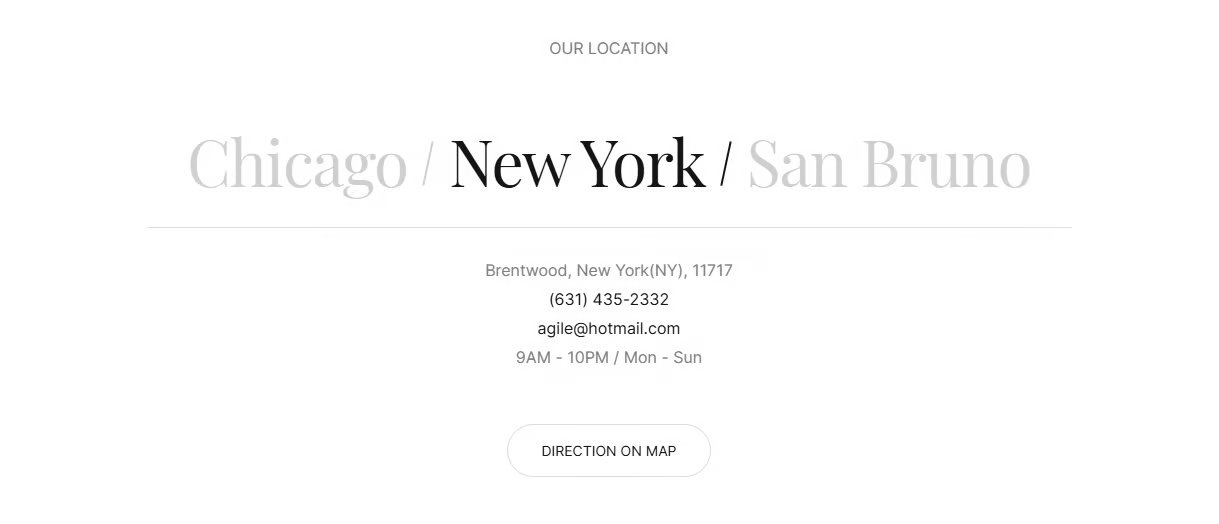
The **Store Location** section allows customers to easily find and connect with your physical stores. It highlights key information such as city, address, contact details, and business hours, helping visitors know exactly where and when they can visit. With a clear layout and optional map direction button, this section enhances trust and convenience, making it easier for customers to reach your brand in person.

<figure><img src="https://2603381870-files.gitbook.io/~/files/v0/b/gitbook-x-prod.appspot.com/o/spaces%2FzHrRp9fYeFj0SVV6k2dP%2Fuploads%2F6VCX1ImYIT5nbPAYCFjH%2Fimage.png?alt=media&#x26;token=0fcf397e-758c-4f22-8e6a-97f612984ad2" alt=""><figcaption></figcaption></figure>

## Section settings

### General settings

<table data-full-width="false"><thead><tr><th width="143">Setting</th><th>Description</th></tr></thead><tbody><tr><td>Section width</td><td><p>3 options for container</p><ul><li>Stretch width: span the section width regardless of screen size.</li><li>Fix width: depends on your page content width in <strong>Theme settings</strong> <strong>-></strong> <strong>Layout</strong>.</li><li>Expand full width: takes up the entire space on the page and it usually resizes itself to fit the size of the screen.</li></ul></td></tr><tr><td>Color scheme</td><td>Select colors from <strong>Theme settings -> Colors</strong></td></tr><tr><td>Subheading</td><td>The sub-title of the section</td></tr><tr><td>Heading</td><td>The title of the section</td></tr><tr><td>Description</td><td>The description of the section</td></tr><tr><td>Heading size</td><td><p>Font size text customization:</p><ul><li>Small</li><li>Medium</li><li>Large</li></ul></td></tr><tr><td>Content alignment</td><td><p>The position of the heading and description.</p><ul><li>Left</li><li>Center</li><li>Right</li></ul></td></tr></tbody></table>

### Section padding

* **Top padding:** Customize the top margin of the section
* **Bottom padding:** Customize the bottom margin of the section

### **Section radius**

<table data-full-width="false"><thead><tr><th width="143">Setting</th><th>Description</th></tr></thead><tbody><tr><td>Enable rounded top</td><td>Apply a rounded corner effect to the top edge of the section</td></tr><tr><td>Enable rounded bottom</td><td>Apply a rounded corner effect to the bottom edge of the section</td></tr></tbody></table>

## Theme block

### Store location

<table data-full-width="false"><thead><tr><th width="143">Setting</th><th>Description</th></tr></thead><tbody><tr><td>Store image</td><td>Upload an image to display when hover over the location's name</td></tr><tr><td>Store name</td><td>Define the store's name</td></tr><tr><td>Store address</td><td>Define the address of the store</td></tr><tr><td>Store phone</td><td>Define the phone number</td></tr><tr><td>Store email</td><td>Define the email address</td></tr><tr><td>Store hours</td><td>Define the working hours</td></tr><tr><td>Store link</td><td>Set a link for direction on map</td></tr></tbody></table>
