> For the complete documentation index, see [llms.txt](https://nextsky.gitbook.io/glozin-theme/llms.txt). Markdown versions of documentation pages are available by appending `.md` to page URLs; this page is available as [Markdown](https://nextsky.gitbook.io/glozin-theme/collection-page/collections-list-page/page-heading.md).
# Page heading
## Section settings
### General
**Section width:** You can choose among Fluid container, Full width, Stretch width for the banner layout.
**Color scheme:** Set text color and background color with preset scheme
### Background image
**Background image**:
* **Choose image**: Select an image to use as the background image or **use the collection image** to display.
* **Opacity**: Set the opacity level for the thumbnail image.
* **Height**: Adjust the height of the thumbnail image.
### Section padding
Section padding allows you to specify the space between this section and the preceding or following sections, or both.
## Block settings
### Breadcrumb
Implement breadcrumb navigation to enhance user experience by providing a clear path back to previous pages and helping users understand their location within the website structure.
### Heading
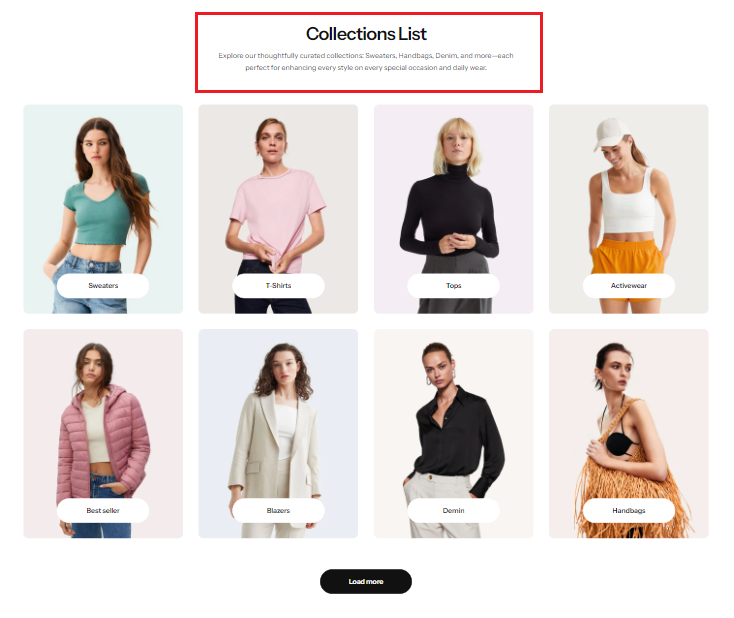
Use the provided text field to add a suitable heading. Leave it blank if you do not want to display.
### Description
Use the provided text field to add a suitable description. Leave it blank if you do not want to display.
.png?alt=media)
.png?alt=media)
.png?alt=media)
.png?alt=media)
.png?alt=media)