> For the complete documentation index, see [llms.txt](https://nextsky.gitbook.io/glozin-theme/llms.txt). Markdown versions of documentation pages are available by appending `.md` to page URLs; this page is available as [Markdown](https://nextsky.gitbook.io/glozin-theme/frequently-asked-questions/how-to-translate-a-theme-after-adding-a-new-default-language.md).
# How to translate a theme after adding a new default language?
After adding the **Glozin** theme and changing the default language to the new language, but the theme is still not automatically translated, you can follow these steps:
{% hint style="success" %}
**Step 1:** Install the [Translate & Adapt](https://apps.shopify.com/translate-and-adapt) app by Shopify
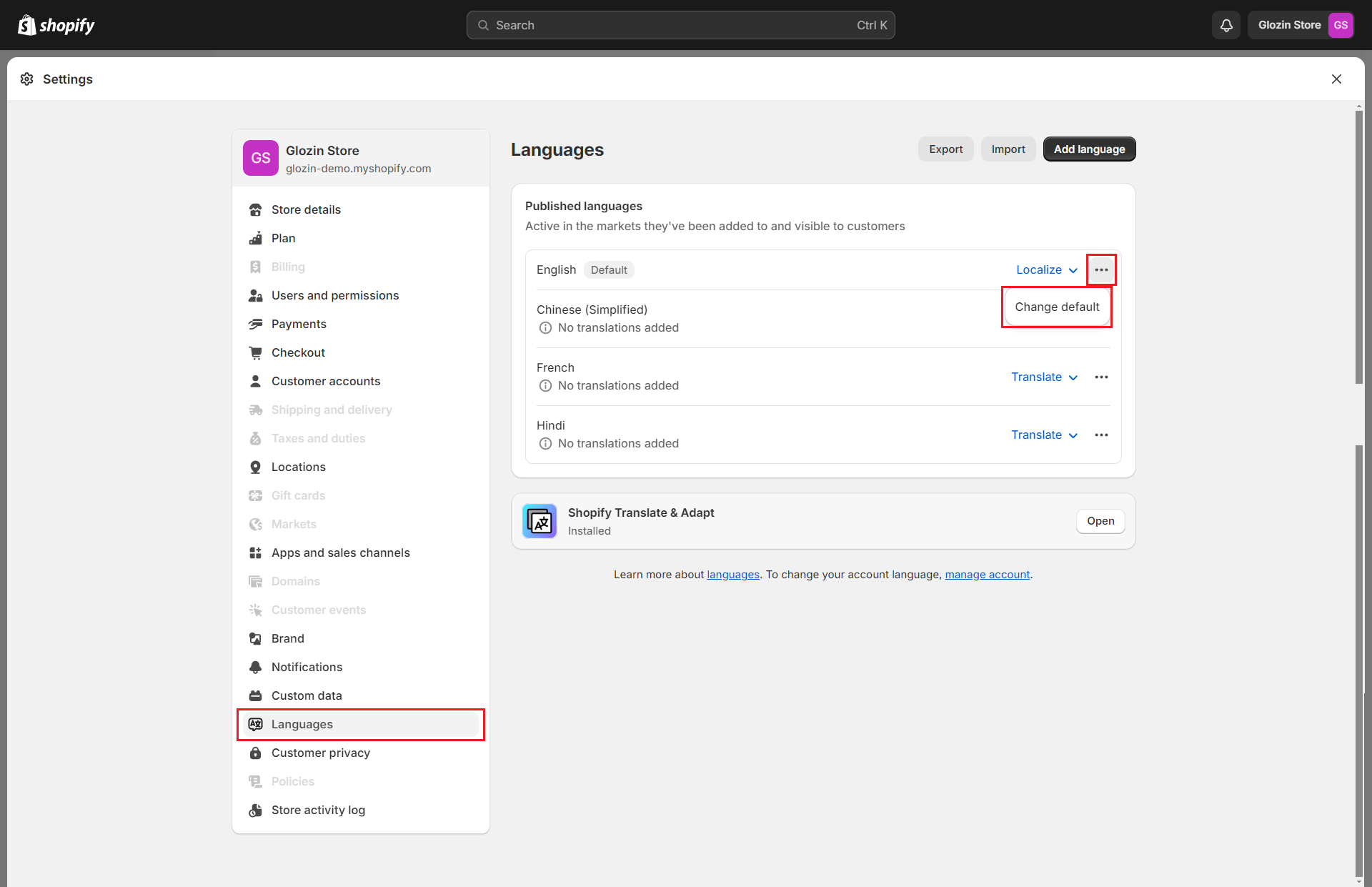
**Step 2: Settings** -> **Languages** -> Change default -> Change any default language
{% endhint %}
{% hint style="info" %}
Because Translate & Adapt application cannot translate language when set to default
{% endhint %}
{% hint style="success" %}
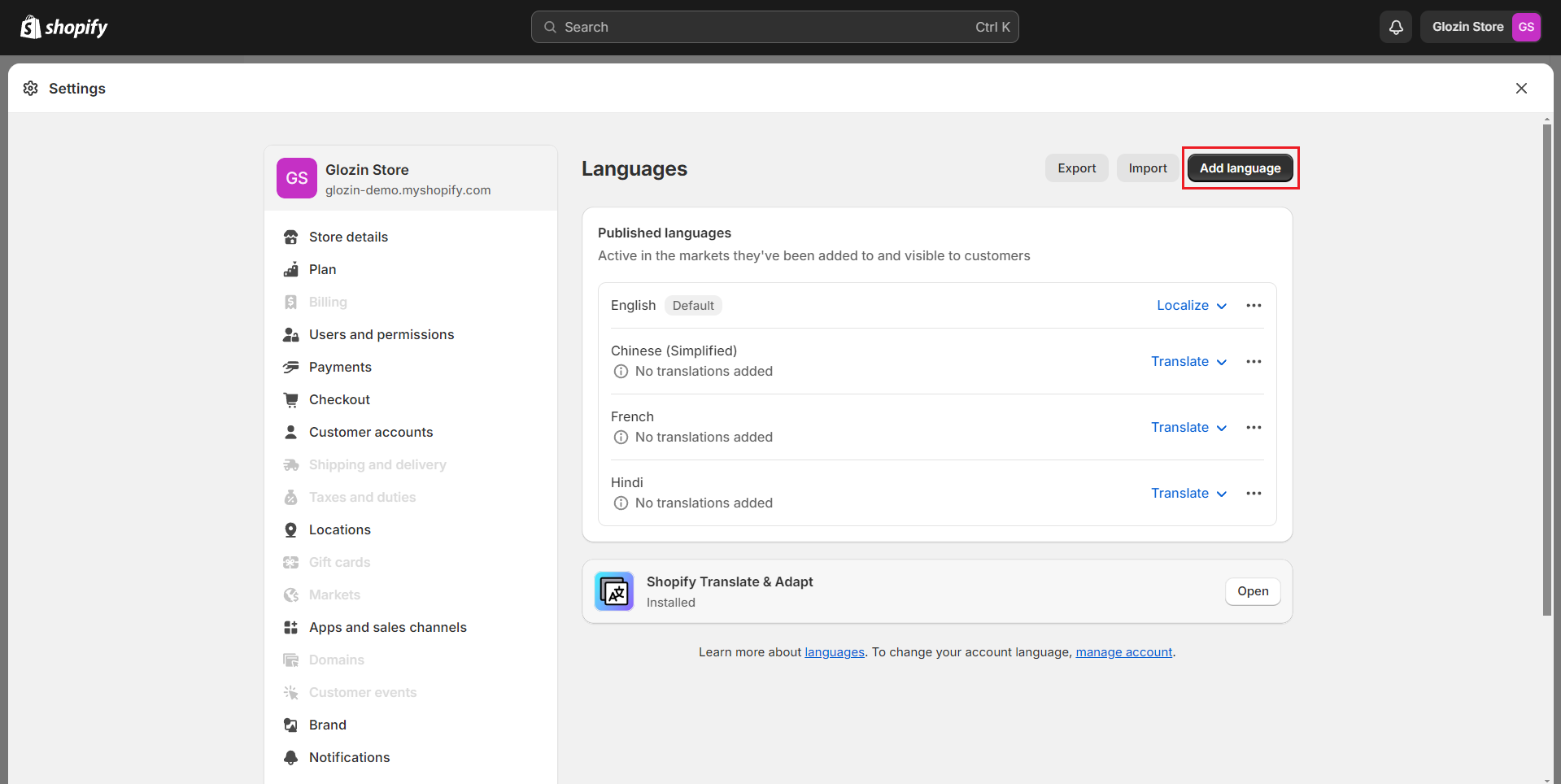
**Step 3:** After changing the default language, your previous language will be deleted, please add the default language you want to translate again.
{% endhint %}
{% hint style="success" %}
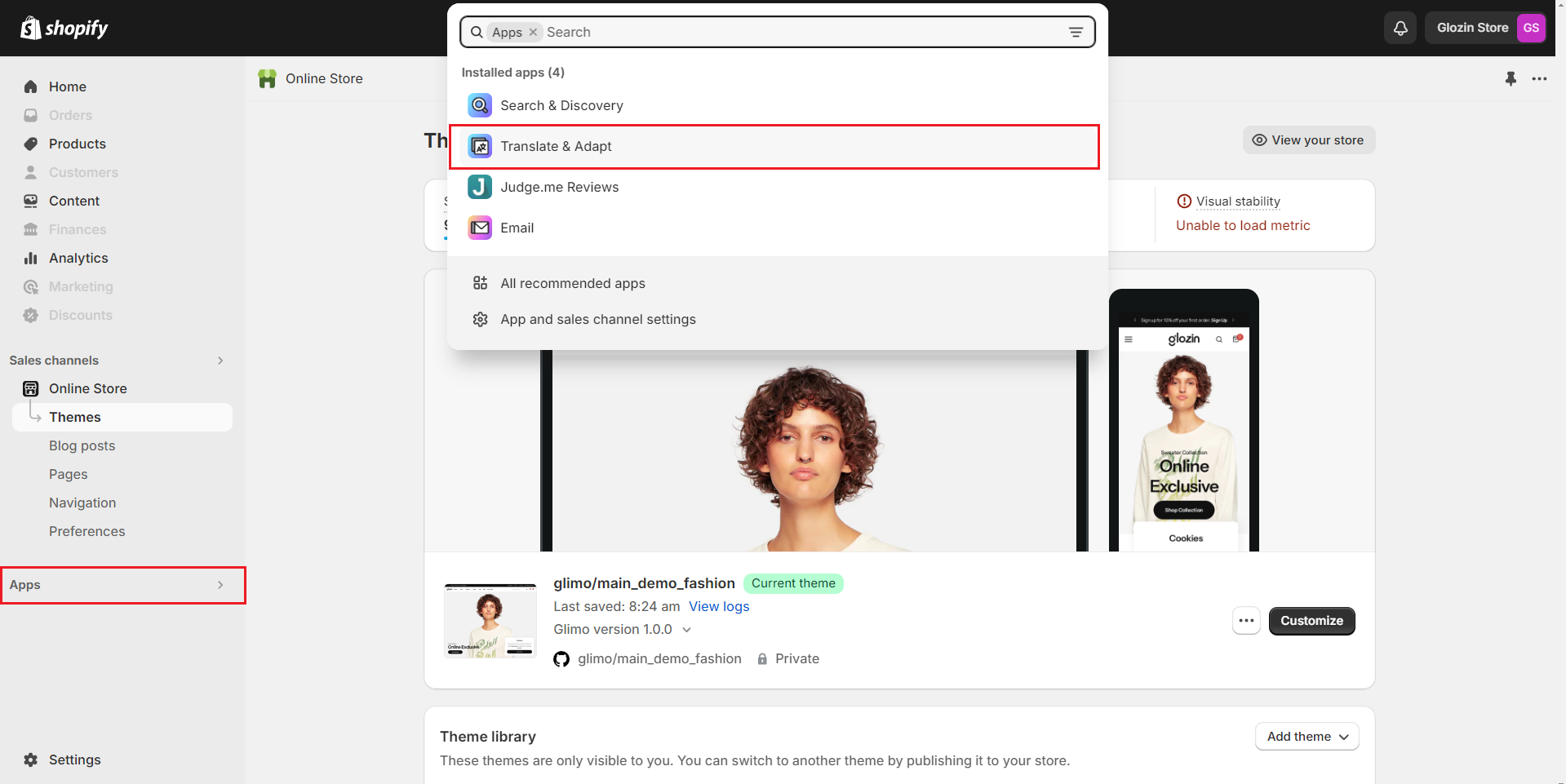
**Step 4:** Go to apps -> select app **Translate & Adapt**
{% endhint %}
{% hint style="success" %}
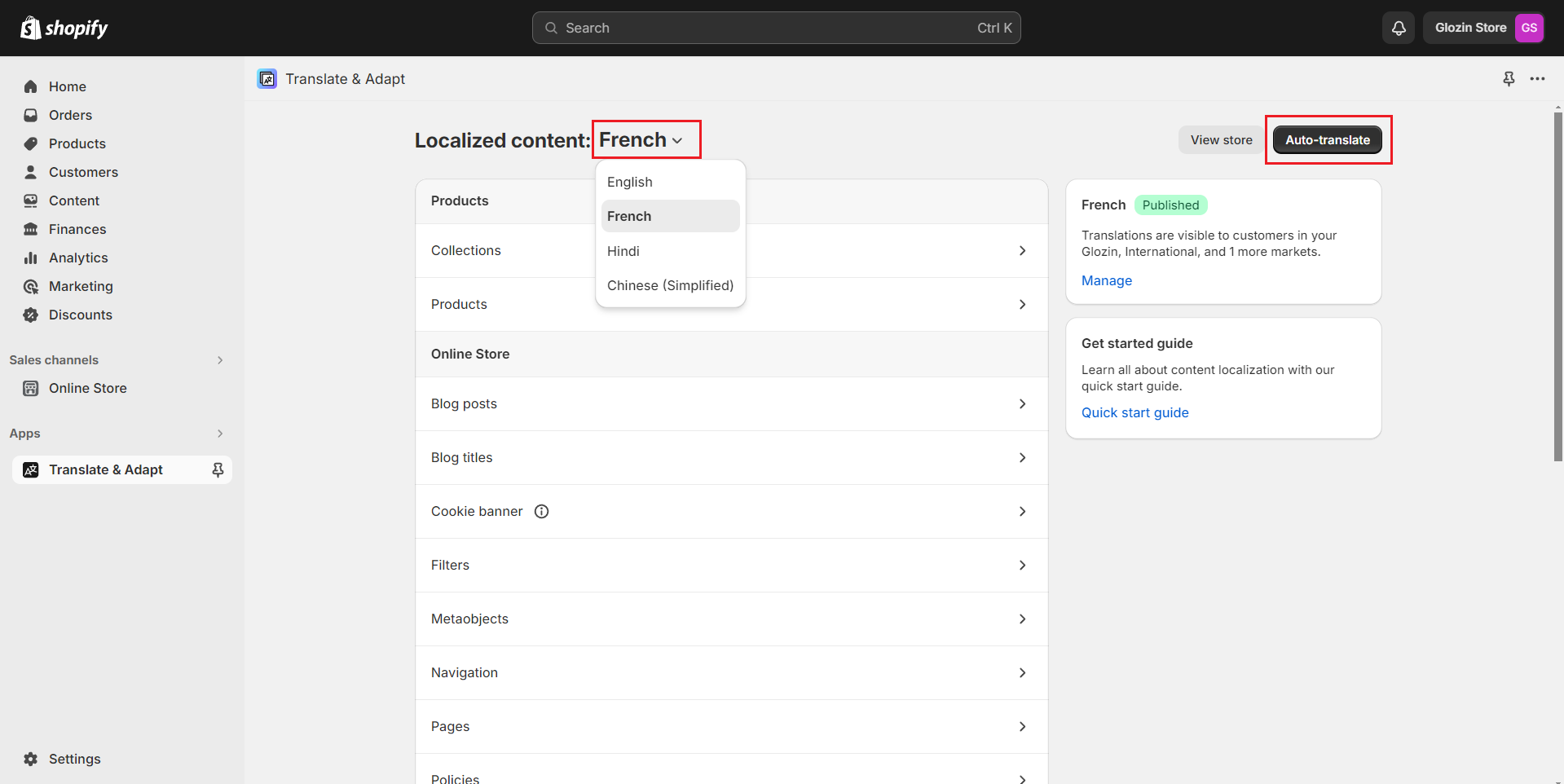
**Step 5:** In the application, select the **language** you want to translate and click **Auto-translate.**
{% endhint %}
{% hint style="success" %}
**Step 6:** After successful translation go to **Settings -> languages -> change default** , set the translated language to the default language.
{% endhint %}
{% hint style="danger" %}
**If you see a warning like the one below, ignore it and save your changes:**
"Any existing French translations will be deleted. Before saving, you may want to export your French translations."
{% endhint %}
.png?alt=media)