> For the complete documentation index, see [llms.txt](https://nextsky.gitbook.io/glozin-theme/llms.txt). Markdown versions of documentation pages are available by appending `.md` to page URLs; this page is available as [Markdown](https://nextsky.gitbook.io/glozin-theme/frequently-asked-questions/how-to-translate-buy-now-button.md).
# How to translate "Buy now" button?
The one way to translate **Buy it now** button is change your store default language, please follow these steps:
{% hint style="success" %}
Step
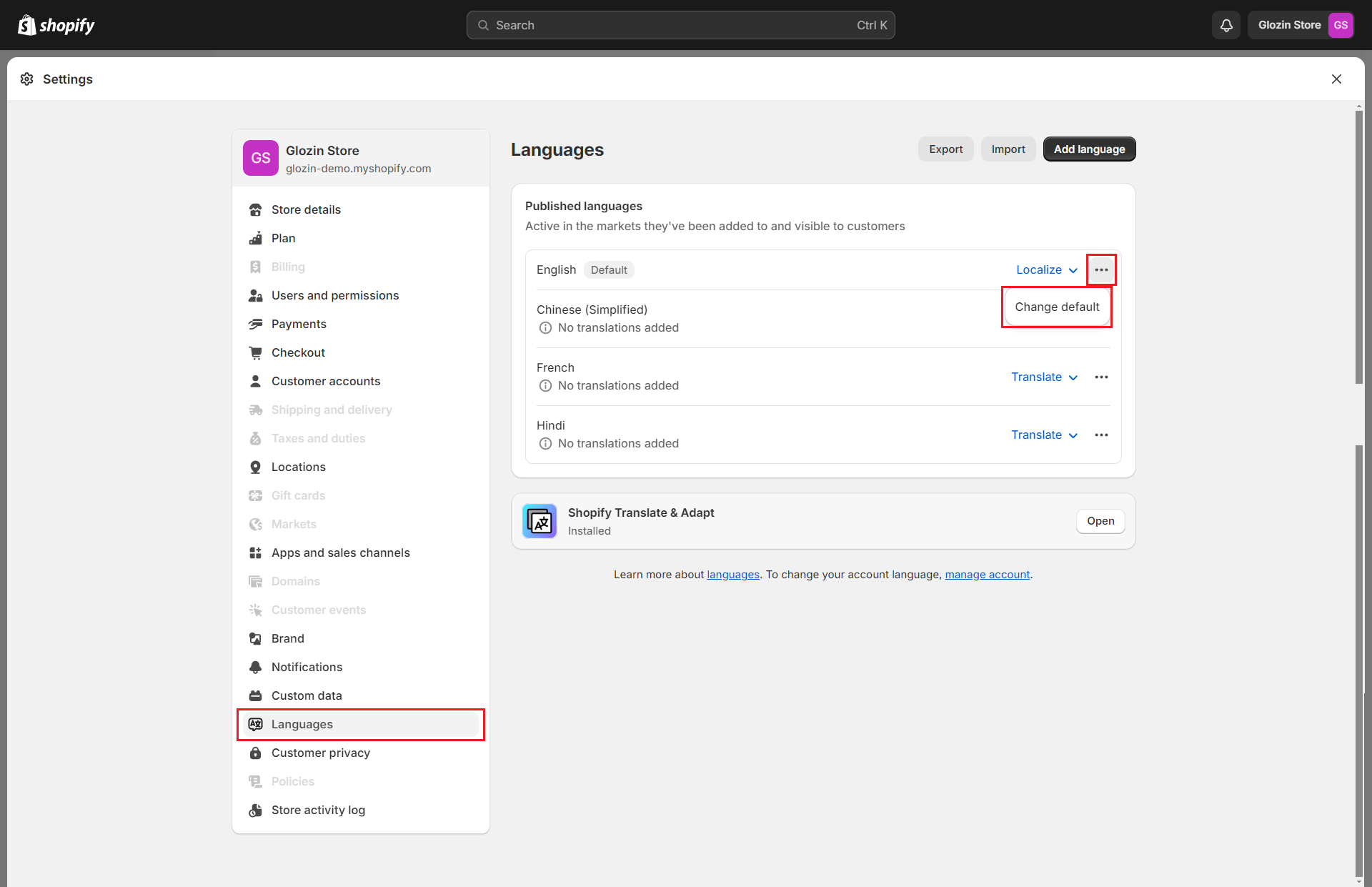
1. From your admin, click to **Settings => Languages**
2. Change the default language of your store
3. Click **Save** and you can see the result
{% endhint %}
Once you've completed the setup, the "**Buy it now**" button will be translated into your chosen language, ensuring that your site communicates effectively with your target audience in their native language, enhancing the shopping experience.