> For the complete documentation index, see [llms.txt](https://nextsky.gitbook.io/glozin-theme/llms.txt). Markdown versions of documentation pages are available by appending `.md` to page URLs; this page is available as [Markdown](https://nextsky.gitbook.io/glozin-theme/product-page-settings/product-set.md).
# Product set
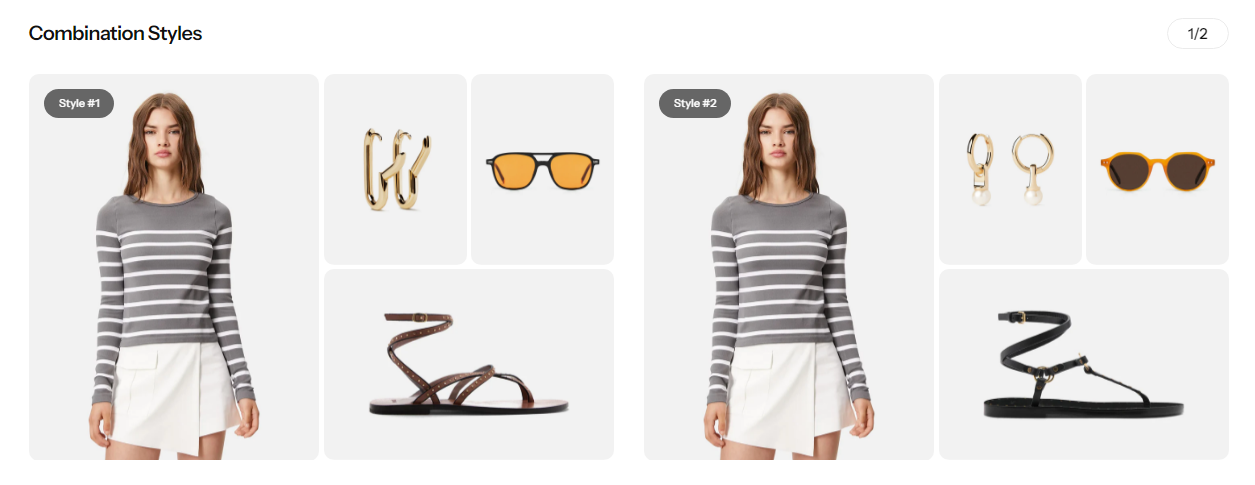
Product Set is a dynamic feature designed to enhance your product page with curated recommendations. This feature allows you to showcase up to four complementary products each set alongside your main item, making it easier for customers to discover perfect mix-and-match options. By highlighting related products as a cohesive set, you can drive cross-selling opportunities and provide a more personalized shopping experience. Elevate your product presentations and boost your sales potential with thoughtfully recommended product sets.
{% hint style="warning" %}
A maximum of 4 products, **excluding the main product**, will be displayed, even if you select more than that.
{% endhint %}
{% hint style="success" %}
**Steps:**
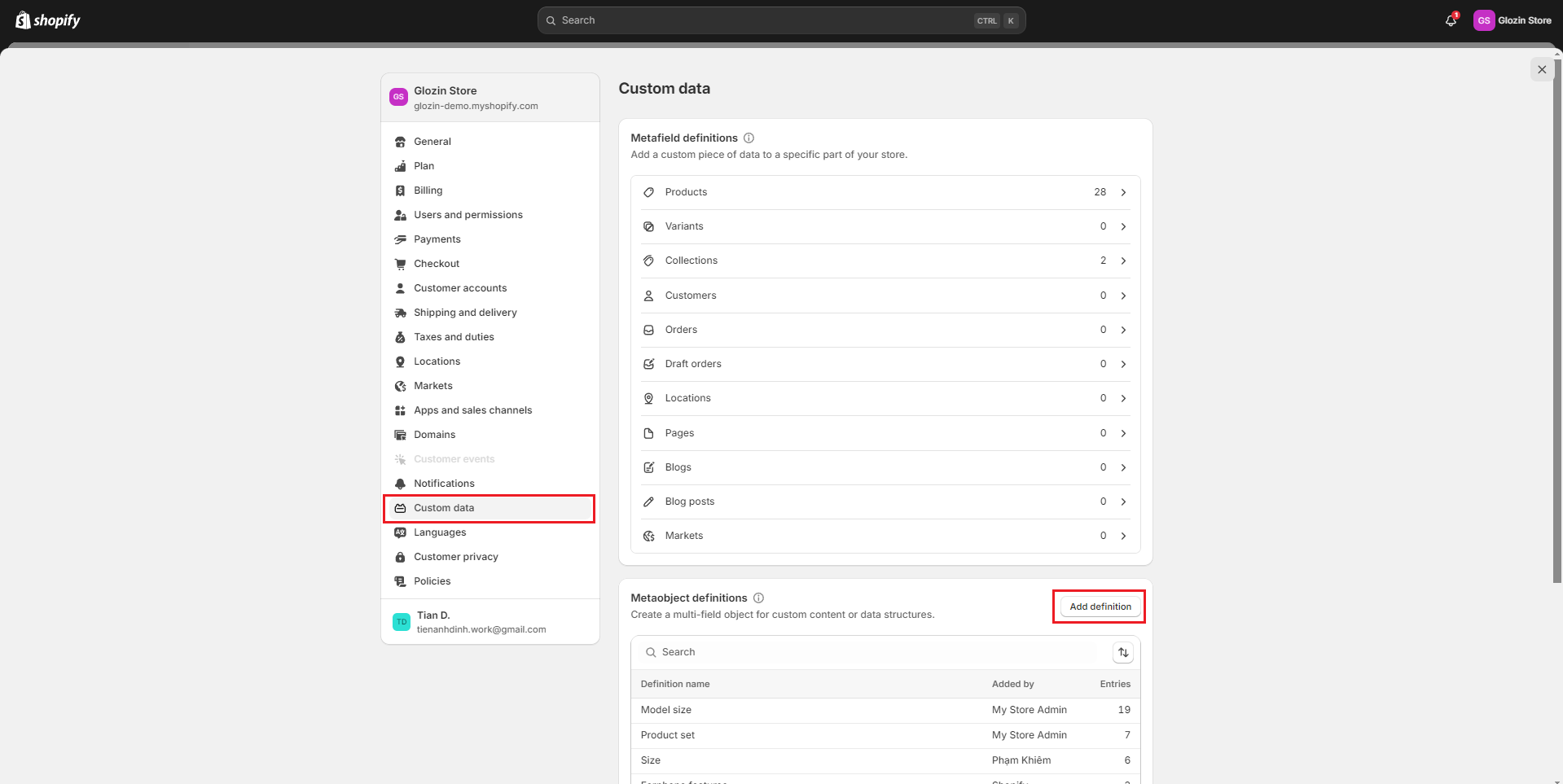
1. Login to your Shopify store, click to **Settings**
2. Click to **Custom data** and select **Add definition** for **Metaobject definitions**
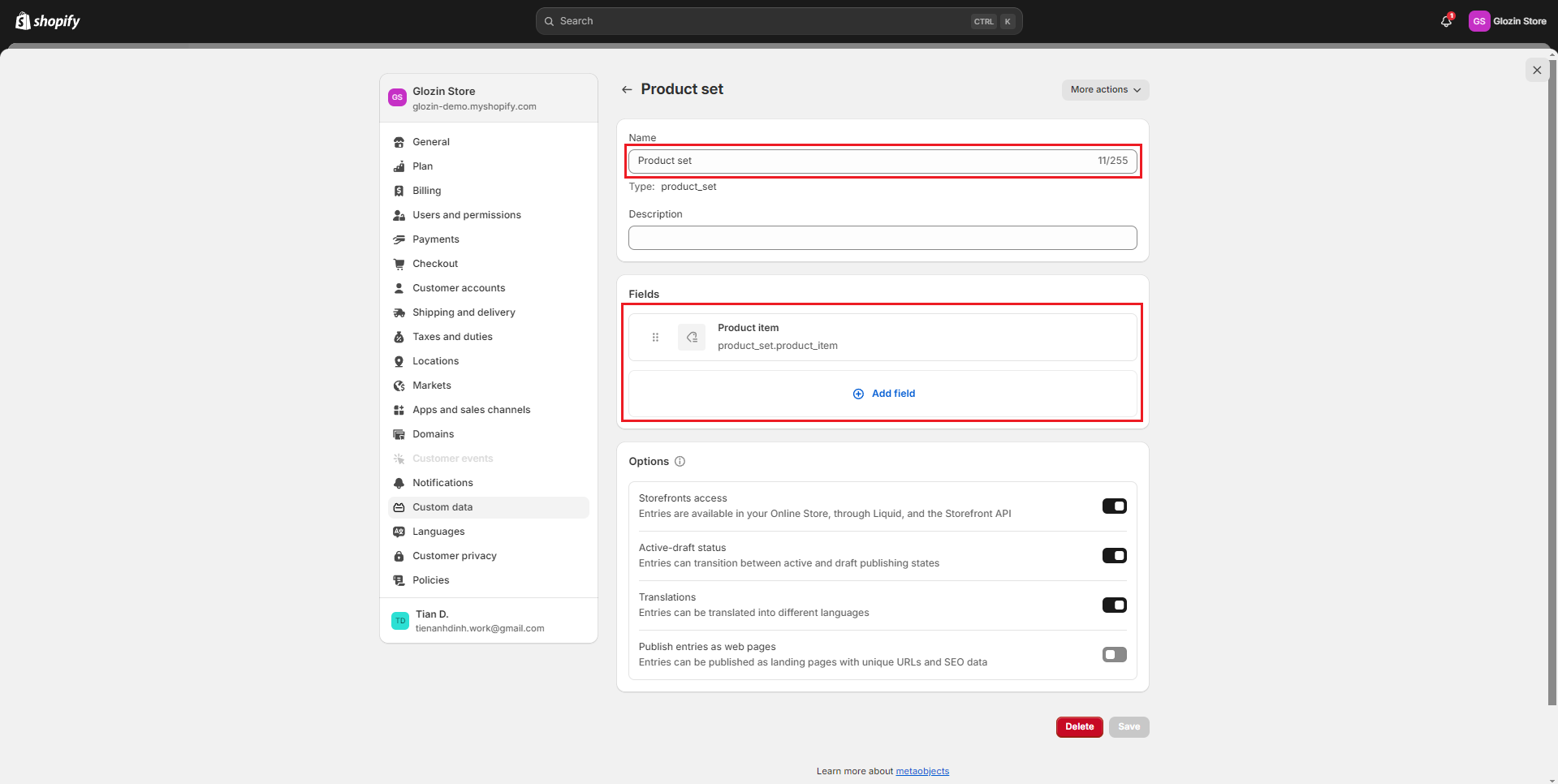
3. Set the name with **Product set**
{% endhint %}
{% hint style="success" %}
4\. **Add the following fields:**
\- Name: **Product item**
Content type: **Product - List of products**
{% endhint %}
Once you've set up the feature, you can easily add model information to your product listings. For a step-by-step guide on how to do this, please refer to the video below.
{% embed url="" %}