> For the complete documentation index, see [llms.txt](https://nextsky.gitbook.io/glozin-theme/llms.txt). Markdown versions of documentation pages are available by appending `.md` to page URLs; this page is available as [Markdown](https://nextsky.gitbook.io/glozin-theme/theme-settings/cart.md).
# Cart
Display the added product and cart information
The **Cart drawer** is a slide where the cart information will show. A side pops up whenever customers add an item to the cart, offering customers to continue shopping while they can see the cart information. Customers can also edit the quantity or add a specific note.
{% hint style="success" %}
Steps
1. In the theme editor (**Customize**), click **Theme settings**
2. Locate **Cart**
3. Make necessary changes
4. **Save**
5. **Cart countdown:** Tick the checkbox "**Show on minicart and cart page**" to enable cart countdown in cart dawn.
{% endhint %}
## Free shipping message
This option allows you to set the minimum shipping amount for Customers, which means, when Customers reach to that minimum amount, they will have free shipping offer.
**Action after adding to cart:** Choose the response after adding a product to the cart.
**Show Free shipping message on minicart and cart page:** Decide whether to display the free shipping message on the minicart and cart page.
**Free shipping minimum amount:** Set a minimum amount for free shipping.
## Cart count down
**Cart countdown** is a timer that displays the remaining time until items in the shopping cart are automatically checked out.
## Cart addons
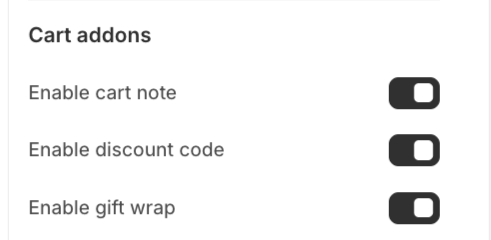
**Enable cart note:** a feature allows customers leave notes for products in the cart
**Enable gift wrap:** Select the provided gift wrap option, and the store will beautifully package the products as a gift.
**Enable discount code:** When enabled, this feature will display in the mini cart and allow customers to apply store discount codes directly within the cart, without needing to enter them on the checkout page.
**Enable shipping protection:** Turn on/off the option to offer shipping protection to customers.
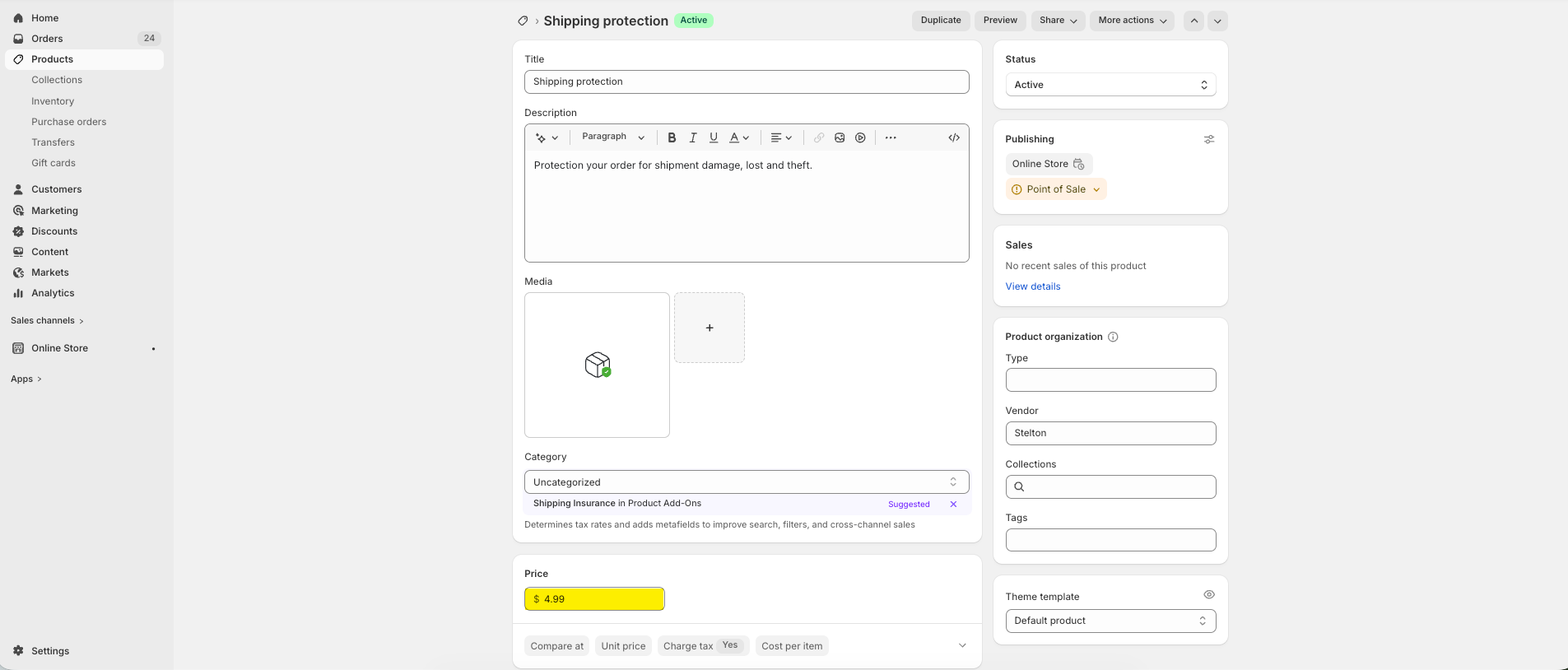
**Choose shipping protection product:** Select the product that will be used as the shipping protection option.
You need to create a dedicated product to represent the Shipping Protection service.
**The price of this product** will be used as the **Shipping Protection fee** displayed to customers.
**Important notes:**
* Do not create any variants for this product
* Do not add quantity
* Do not set a compare-at price
## Product recommendations
When the **Product recommendations** feature is activated, items related to those in your cart will be showcased. You can either let the system automatically select these products or manually choose them according to your preference.
### Shipping rates calculator
**Shipping rates calculator:** Show the estimated shipping rates and delivery days
## **How to change Free shipping progress bar text?**
{% hint style="success" %}
**Step:**
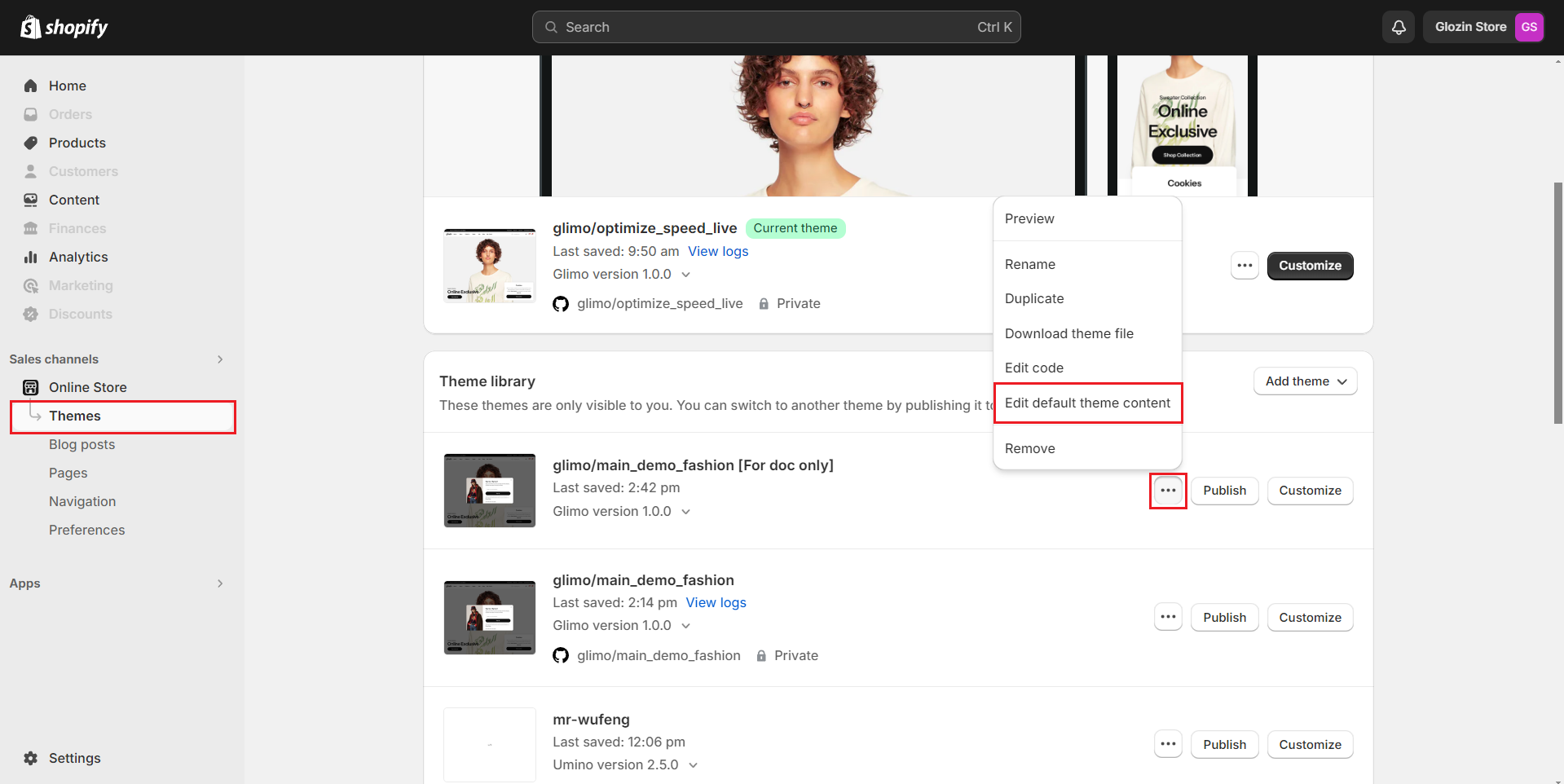
1. From your admin, go to **Online Stores -> Themes**
2. Click to theme setting icon then select **Edit default theme content**
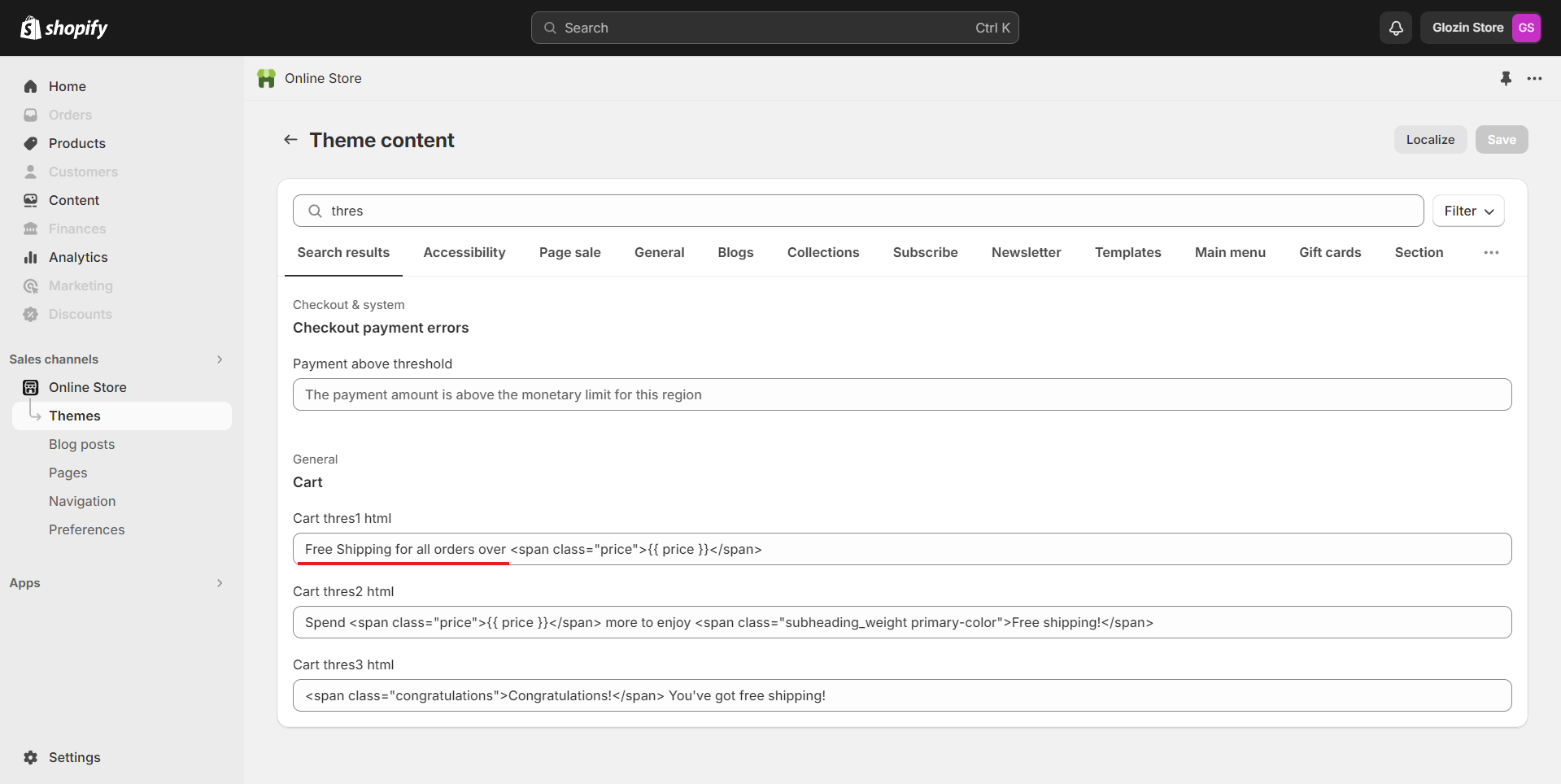
3. Search keywords **"Free shipping"** and edit the message in section **Cart** as you wish
{% endhint %}
.png?alt=media)
.png?alt=media)
.png?alt=media)

.png?alt=media)
.png?alt=media)