> For the complete documentation index, see [llms.txt](https://nextsky.gitbook.io/purity-theme/llms.txt). Markdown versions of documentation pages are available by appending `.md` to page URLs; this page is available as [Markdown](https://nextsky.gitbook.io/purity-theme/group-blocks/basic/highlight-text.md).
# Highlight text
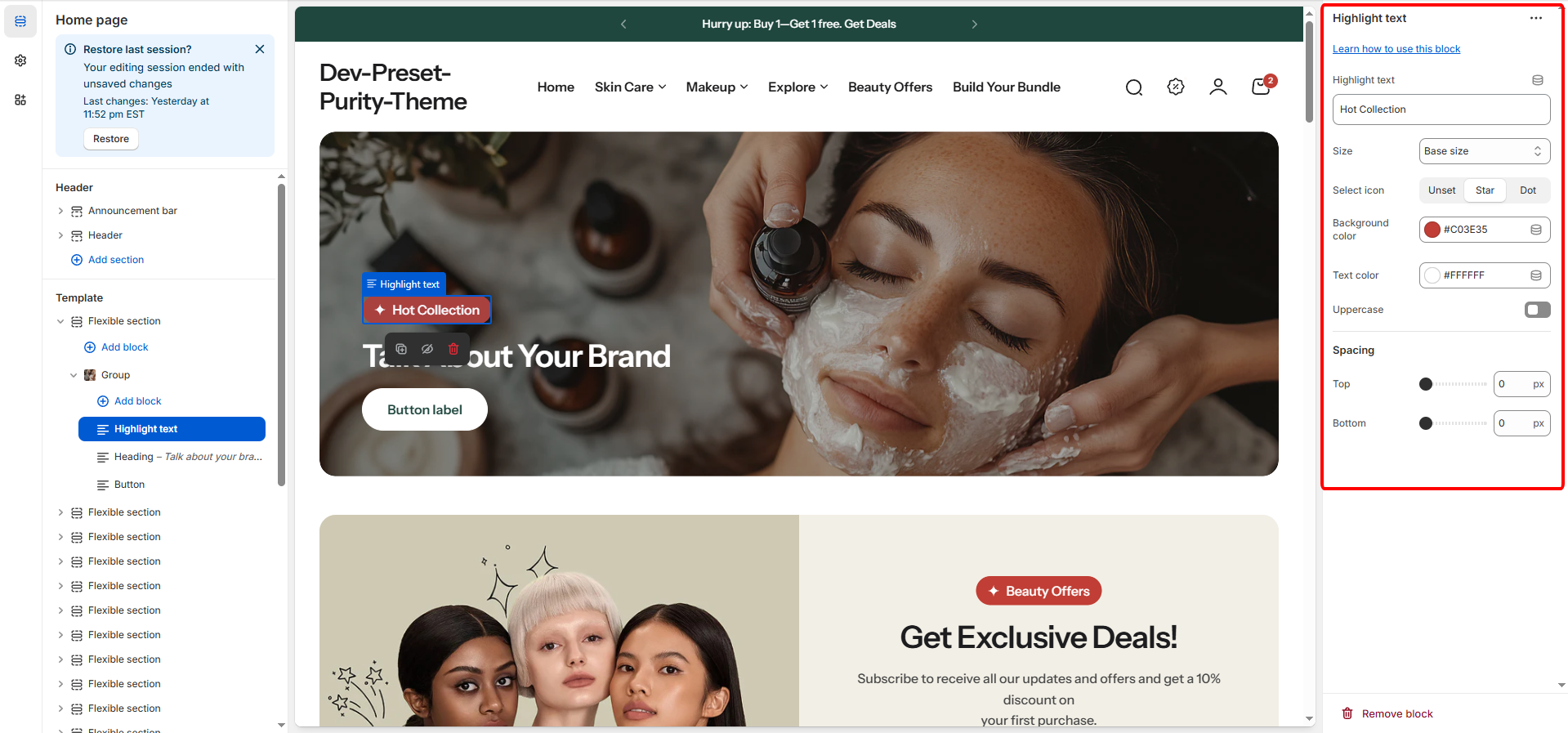
The **Highlight Text** block lets you display a prominent title to capture attention and introduce the section’s content. You can edit the text, adjust width, choose a heading level, and customize padding to fit your layout.
## General
| Setting | Description |
| -------------------- | -------------------------------------------------------------------------------------------------------------------------------------------------------- |
| **Highlight text** | The actual text content that will be highlighted or emphasized on the page. |
| **Size** | Defines the font size and visual prominence of the highlighted text. Options range from XS Small, X Small, Small, Base (Default), to Large. |
| **Icon** |
Allows adding a small decorative icon next to the text. Options include
Unset (None)
Star
Dot (Default is Star).
|
| **Background color** | Sets the background color behind the text. Supports alpha/transparency (Opacity) for customization (Default is a deep red/maroon). |
| **Text color** | Sets the color of the highlight text itself. Supports alpha/transparency (Opacity) (Default is white). |
| **Uppercase** | A checkbox that, when enabled, forces the highlight text to be displayed in ALL UPPERCASE letters. |
## Spacing
These settings control the external spacing (padding) applied directly above and below this specific block.
| Setting | Description |
| ---------- | ---------------------------------------------------------------------------------------------------------------- |
| **Top** | Sets the amount of empty space (padding) above this button block. Measured in pixels (px) (Range: 0px to 100px). |
| **Bottom** | Sets the amount of empty space (padding) below this button block. Measured in pixels (px) (Range: 0px to 100px). |