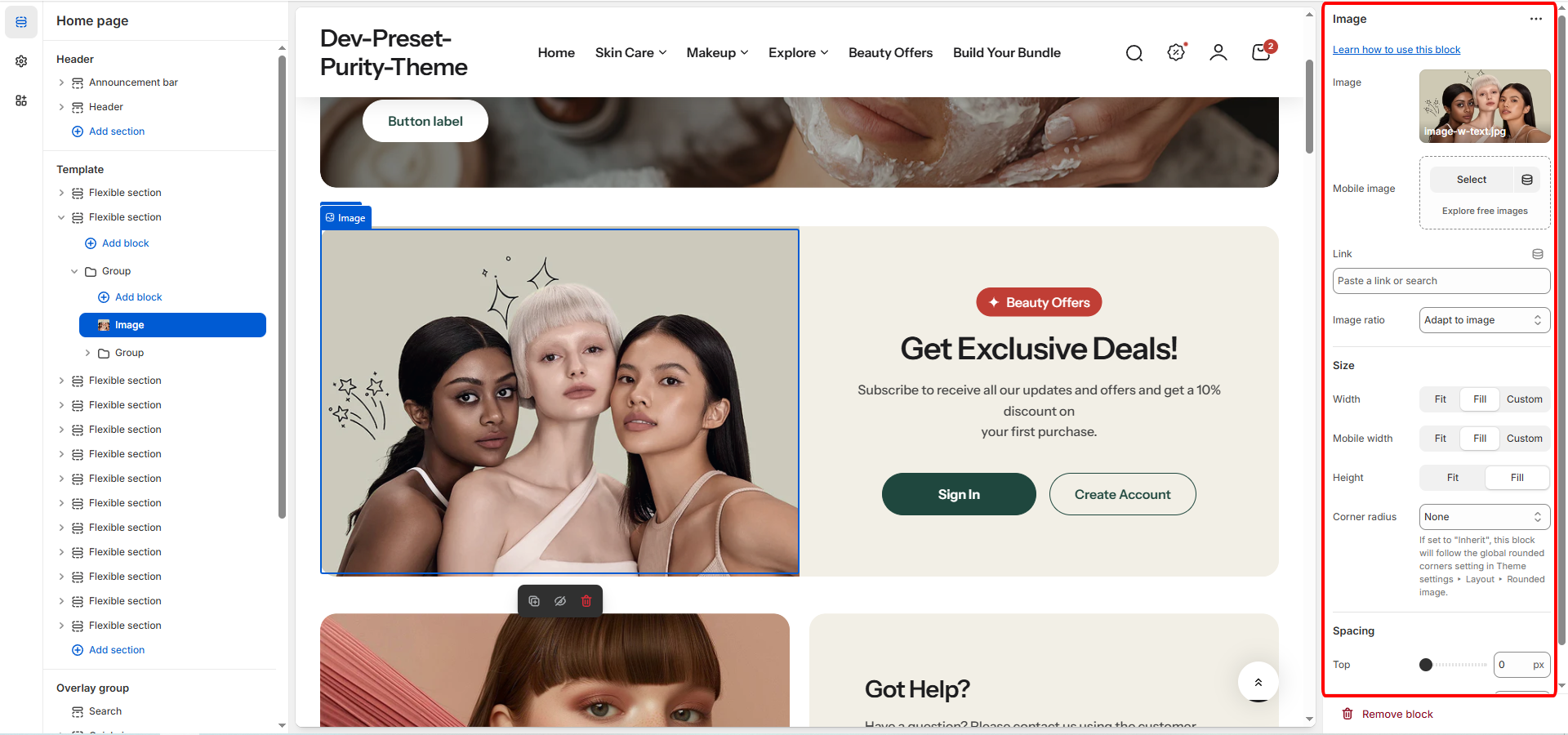
Defines the shape of the displayed image:
| Setting | Applies To | Description |
|---|---|---|
| Width unit type | Desktop | 2 options:
|
| Width | Desktop | Defines the width of the image block on larger screens:
|
| Custom Width | Desktop | Only visible when Width is Custom. Use the slider to set a specific block width, measured in percentage (%) (Range: 0% to 100%). |
| Mobile Width | Mobile | Defines the width of the image block on smaller screens: Fit, Fill (Default), or Custom. |
| Custom Mobile Width | Mobile | Only visible when Mobile Width is Custom. Use the slider to set a specific block width on mobile, measured in percentage (%) (Range: 0% to 100%). |
| Height | Both | Defines the height behavior of the image block:
|
| Corner Radius | Both | Controls the rounding of the image block's corners. Options include:
|
| Custom Radius | Both | Only visible when Corner Radius is Custom. Use the slider to set a specific corner radius for the image block, measured in pixels (px) (Range: 0px to 100px). |
| Setting | Applies To | Description |
|---|---|---|
| Image Width | Desktop | Defines the width of the icon or image on larger screens, measured in pixels (px) (Range: 20px to 200px). |
| Mobile Image Width | Mobile | Defines the width of the icon or image specifically on mobile devices, measured in pixels (px) (Range: 20px to 200px). |