> For the complete documentation index, see [llms.txt](https://nextsky.gitbook.io/purity-theme/llms.txt). Markdown versions of documentation pages are available by appending `.md` to page URLs; this page is available as [Markdown](https://nextsky.gitbook.io/purity-theme/group-blocks/decorative/countdown.md).
# Countdown
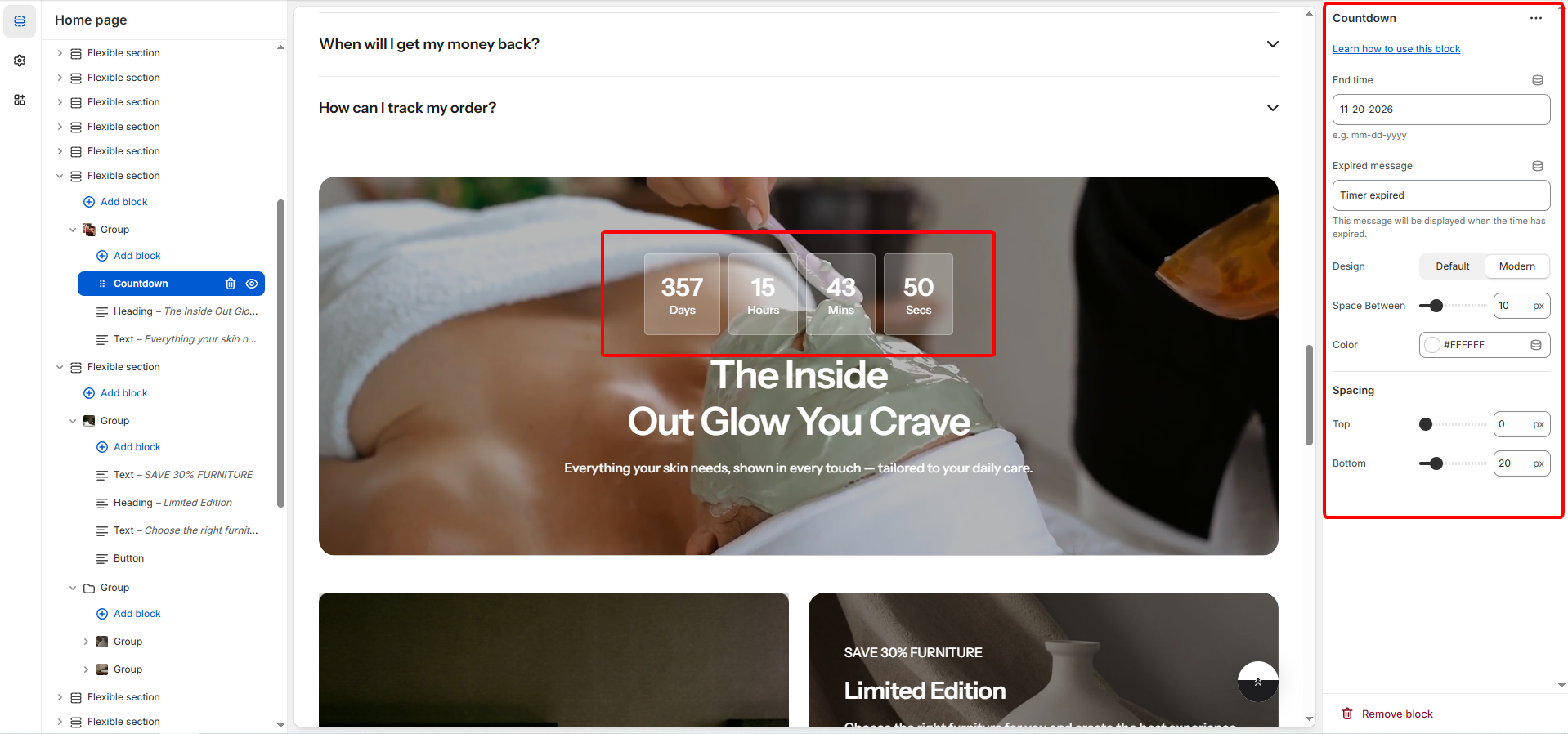
The **Countdown** block allows you to display a time-sensitive counter to promote sales, product launches, or events. You can set the target date, customize the appearance and colors, and adjust the spacing of the timer elements.
## General settings
| Setting | Description |
| -------------------- | ----------------------------------------------------------------------------------------------------------------------------------------------------------------------- |
| **End time** | Specifies the date on which the countdown will end, using the **MM-DD-YYYY** format. Once this date is reached, the countdown will stop or trigger the Expired message. |
| **Expired message** | Defines the text to display when the countdown has reached its end time. |
| **Design** |
Selects the visual style of the timer display:
Default
Modern.
|
| **Mobile alignment** | Define the countdown timer alignment position on mobile screen |
| **Space between** | Sets the horizontal space (gap) between the individual timer components (days, hours, minutes, seconds), measured in pixels (px) (Range: 0px to 50px). |
| **Color** | Sets the color of the text and digits in the countdown display. Supports transparency (alpha). |
## Spacing
These settings control the external spacing (padding) applied directly above and below this specific block.
| Setting | Description |
| ---------- | ---------------------------------------------------------------------------------------------------------------- |
| **Top** | Sets the amount of empty space (padding) above this button block. Measured in pixels (px) (Range: 0px to 100px). |
| **Bottom** | Sets the amount of empty space (padding) below this button block. Measured in pixels (px) (Range: 0px to 100px). |