> For the complete documentation index, see [llms.txt](https://nextsky.gitbook.io/purity-theme/llms.txt). Markdown versions of documentation pages are available by appending `.md` to page URLs; this page is available as [Markdown](https://nextsky.gitbook.io/purity-theme/group-blocks/decorative/google-maps.md).
# Google maps
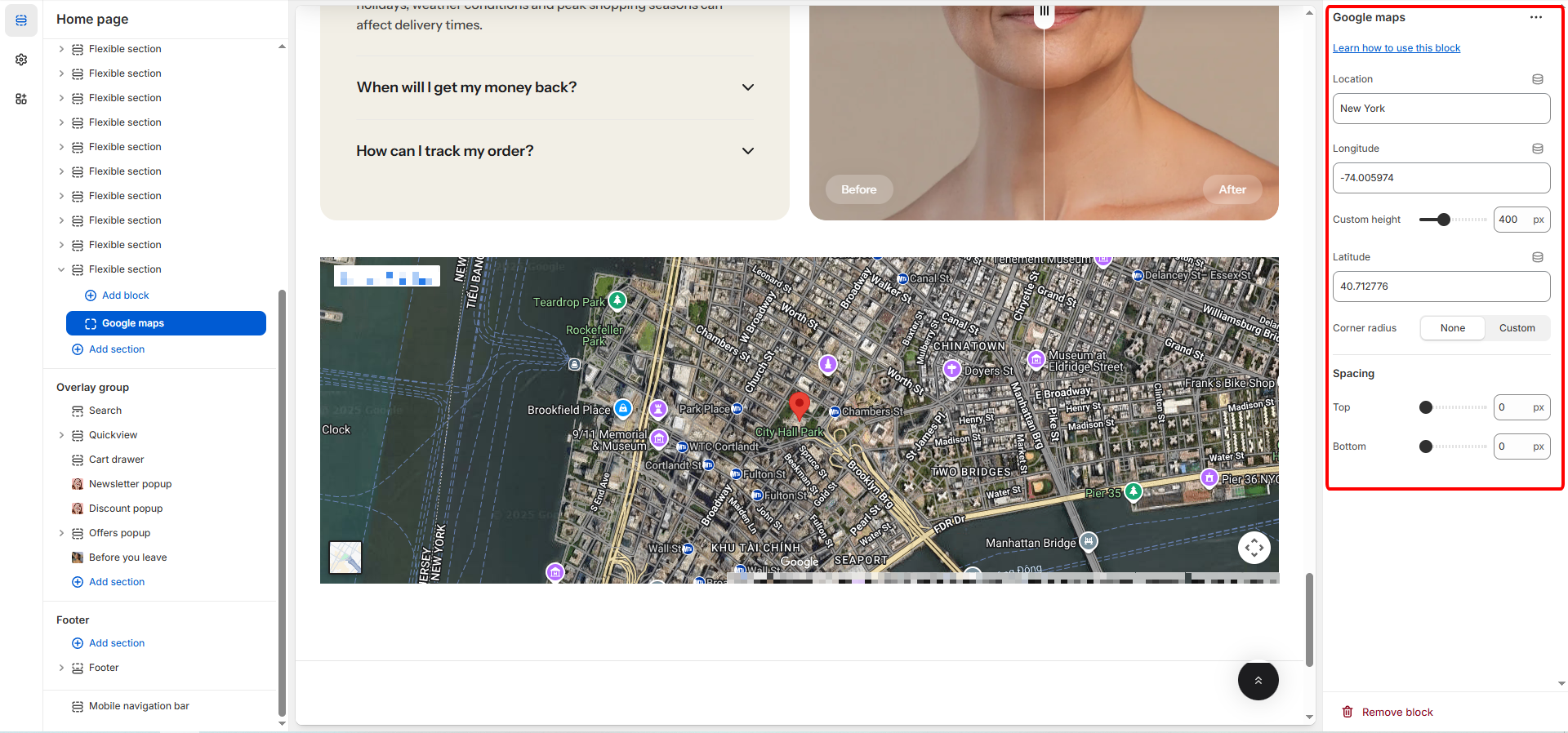
The **Map** block lets you display a prominent title to capture attention and introduce the section’s content. You can edit the text, adjust width, choose a heading level, and customize padding to fit your layout.
## General settings
| Setting | Description |
| ----------------- | --------------------------------------------------------------------------------------------------------------------------------------------------------------------------------------------------- |
| **Location** | The common name of the location to be displayed (e.g., "New York"). This is typically used as a label or marker title. |
| **Longitude** | The longitudinal coordinate of the map's center point (e.g., -74.005974). Requires precise input for accurate positioning. |
| **Latitude** | The latitudinal coordinate of the map's center point (e.g., 40.712776). Requires precise input for accurate positioning. |
| **Custom Height** |
Select the border style for this element. Available options:
None (no border)
Solid (a continuous line border).
|
{% hint style="success" %}
Refer to this article \[[here](https://support.google.com/maps/answer/18539?hl=en\&co=GENIE.Platform%3DDesktop)] for instructions on how to find the longitude and latitude of your location.
{% endhint %}
## **Appearance**
| Setting | Description |
| ----------------- | --------------------------------------------------------------------------------------------------------------------------------------------------------------------------------- |
| **Corner Radius** |
Controls the rounding of the map block's corners:
None (No rounding)
Custom (Allows you to set a specific radius).
|
| **Custom Radius** |
Only visible when Corner Radius is Custom.
Use the slider to set a specific corner radius for the map block, measured in pixels (px) (Range: 0px to 100px).
|
## Spacing
These settings control the external spacing (padding) applied directly above and below this specific block.
| Setting | Description |
| ---------- | ---------------------------------------------------------------------------------------------------------------- |
| **Top** | Sets the amount of empty space (padding) above this button block. Measured in pixels (px) (Range: 0px to 100px). |
| **Bottom** | Sets the amount of empty space (padding) below this button block. Measured in pixels (px) (Range: 0px to 100px). |