> For the complete documentation index, see [llms.txt](https://nextsky.gitbook.io/purity-theme/llms.txt). Markdown versions of documentation pages are available by appending `.md` to page URLs; this page is available as [Markdown](https://nextsky.gitbook.io/purity-theme/group-blocks/decorative/text-image-pairing.md).
# Text image pairing
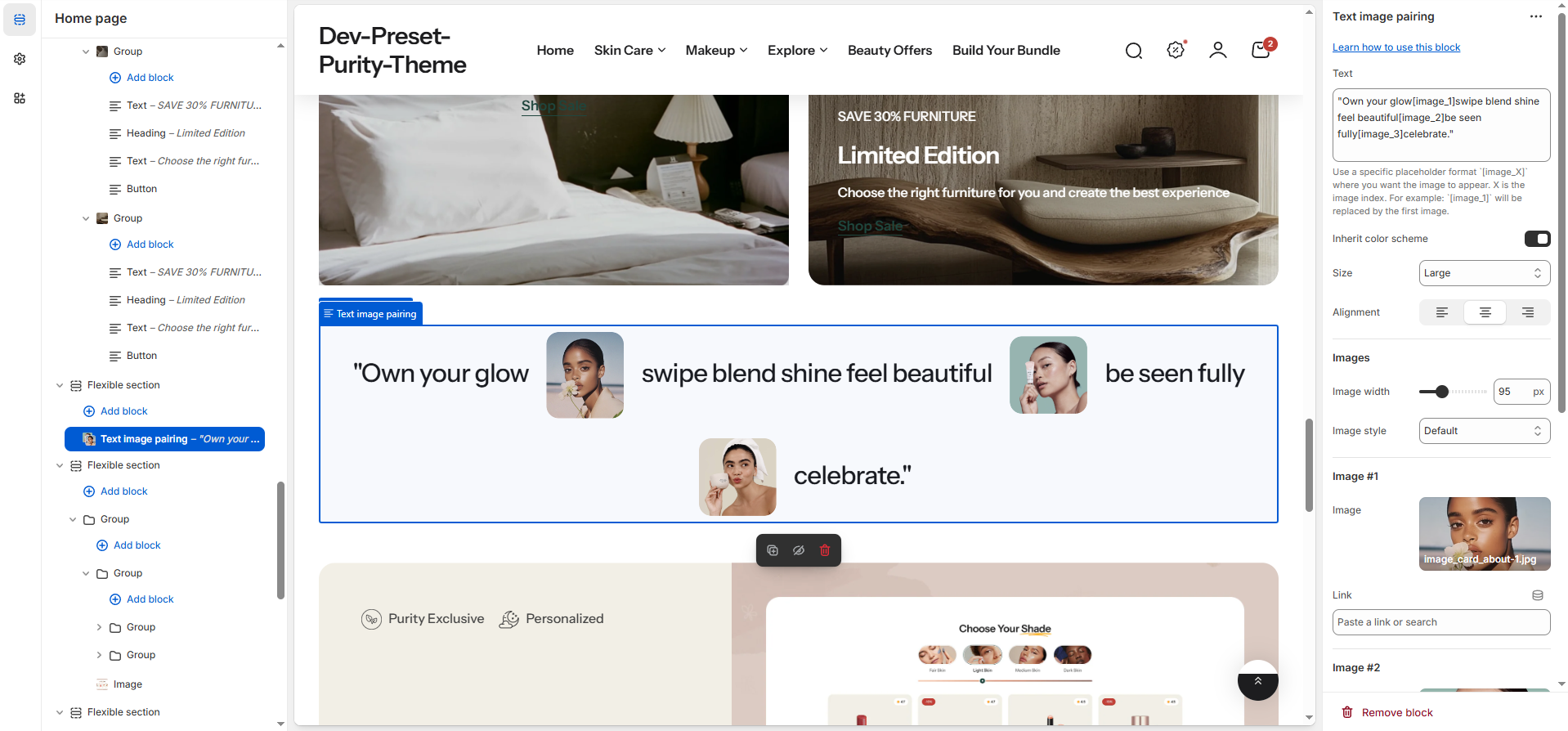
The **Text Image Pairing** block is designed to display a central text or quote alongside multiple small decorative images. You can customize the text, image styles, colors, and linking for each image element.
## General settings
| Setting | Description |
| ------------------------ | ------------------------------------------------------------------------------------------------------------------------------------------------ |
| **Text** | The main descriptive text or quote to display in the center of the block. |
| **Inherit Color Scheme** | A checkbox that, when enabled (Default), uses the color scheme from the parent section. |
| **Color scheme** |
Only visible when Inherit Color Scheme is disabled.
Allows you to manually select a specific Color Scheme for the block.
|
| **Size** | Selects the visual size preset for the central text. Options range from XS Small, X Small, Small, Large (Default), to X Large. |
| **Alignment** |
Controls the horizontal positioning of the text content on desktop screens:
Left
Center (Default)
Right.
|
## Images
| Setting | Description |
| --------------- | ----------------------------------------------------------------------------------------------------------------------------------------------------------------------- |
| **Image Width** | Sets the display width of the individual image elements, measured in pixels (px) (Range: 50px to 200px). |
| **Image Style** |
Defines the shape of the displayed images:
Oval (Default)
Rounded (Slightly rounded corners)
Square (Sharp, 90-degree corners).
|
## Image 1 -> 3
| Setting | Description |
| --------- | ------------------------------------------------------ |
| **Image** | Upload the image content for the first visual element. |
| **Link** | The URL the first image navigates to when clicked. |
### Spacing
These settings control the external spacing (padding) applied directly above and below this specific block.
| Setting | Description |
| ---------- | ---------------------------------------------------------------------------------------------------------------- |
| **Top** | Sets the amount of empty space (padding) above this button block. Measured in pixels (px) (Range: 0px to 100px). |
| **Bottom** | Sets the amount of empty space (padding) below this button block. Measured in pixels (px) (Range: 0px to 100px). |