> For the complete documentation index, see [llms.txt](https://nextsky.gitbook.io/purity-theme/llms.txt). Markdown versions of documentation pages are available by appending `.md` to page URLs; this page is available as [Markdown](https://nextsky.gitbook.io/purity-theme/group-blocks/forms/newsletter.md).
# Newsletter
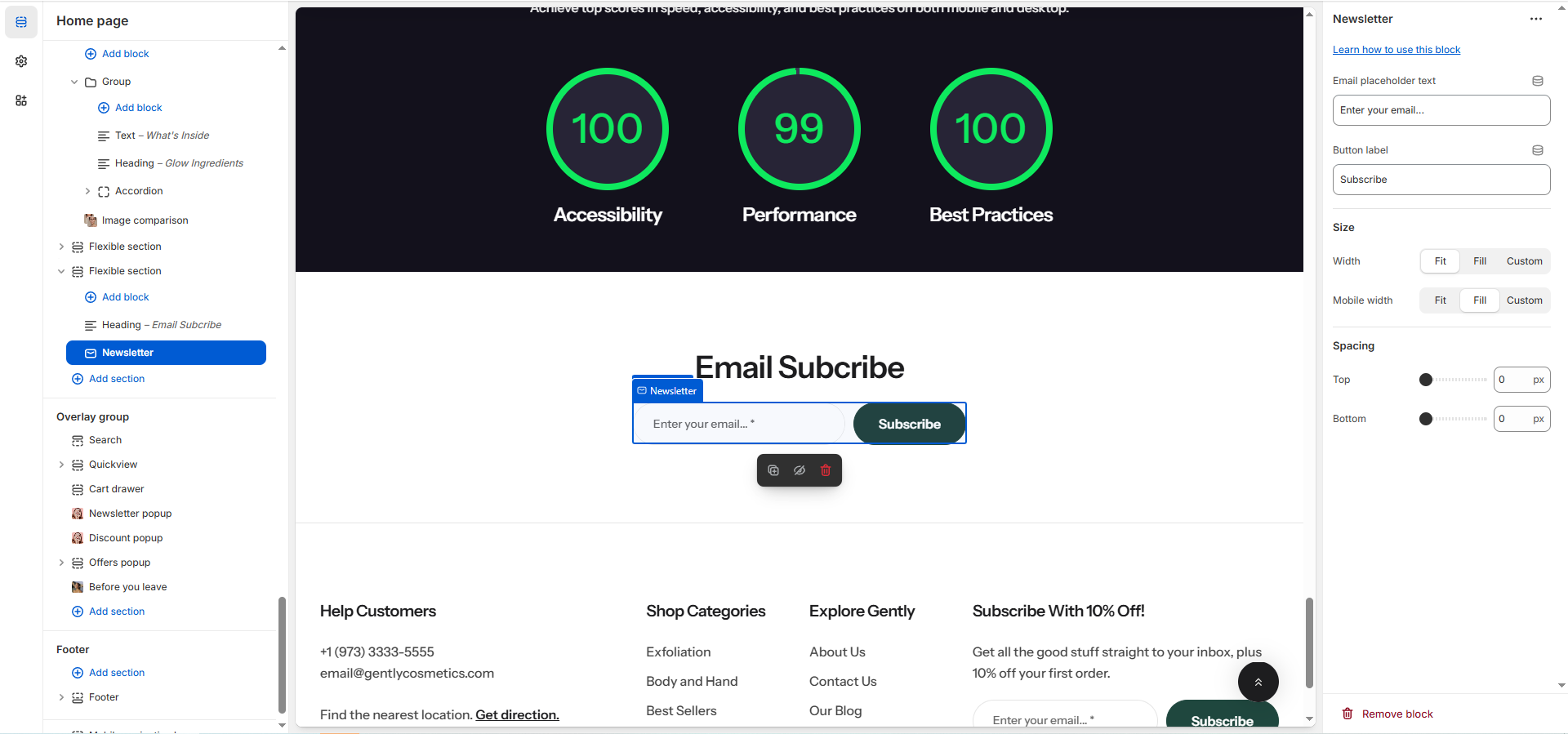
The **Newsletter** block (Email Subscription) provides a dedicated form for capturing customer email addresses for marketing purposes. You can customize the input placeholder text, the button label, and define the block's width and spacing.
## General settings
| Setting | Description |
| -------------------------- | ----------------------------------------------------------------------------------------------------------------------------------------------------------------------------- |
| **Email placeholder text** |
Specifies the placeholder text displayed inside the email input field.
This text serves as a hint or example to guide users on the type of information to enter.
|
| **Button label** | Defines the text displayed on the contact form’s submit button. |
## Size
Setting
Applies To
Description
Width
Desktop
Defines the width of the form block on larger screens:
Fit (Default — size determined by content)
Fill (Expands to fill available space)
Custom (Allows setting a specific percentage width).
Custom Width
Desktop
Only visible when Width is Custom.
Use the slider to set a specific block width, measured in percentage (%) (Range: 0% to 100%).
Mobile Width
Mobile
Defines the width of the form block on smaller screens:
Fit
Fill (Default)
Custom.
Custom Mobile Width
Mobile
Only visible when Mobile Width is Custom.
Use the slider to set a specific block width on mobile, measured in percentage (%) (Range: 0% to 100%).
### Spacing
These settings control the external spacing (padding) applied directly above and below this specific block.
| Setting | Description |
| ---------- | ---------------------------------------------------------------------------------------------------------------- |
| **Top** | Sets the amount of empty space (padding) above this button block. Measured in pixels (px) (Range: 0px to 100px). |
| **Bottom** | Sets the amount of empty space (padding) below this button block. Measured in pixels (px) (Range: 0px to 100px). |