> For the complete documentation index, see [llms.txt](https://nextsky.gitbook.io/purity-theme/llms.txt). Markdown versions of documentation pages are available by appending `.md` to page URLs; this page is available as [Markdown](https://nextsky.gitbook.io/purity-theme/group-sections/storytelling/multi-content.md).

# Multi-content

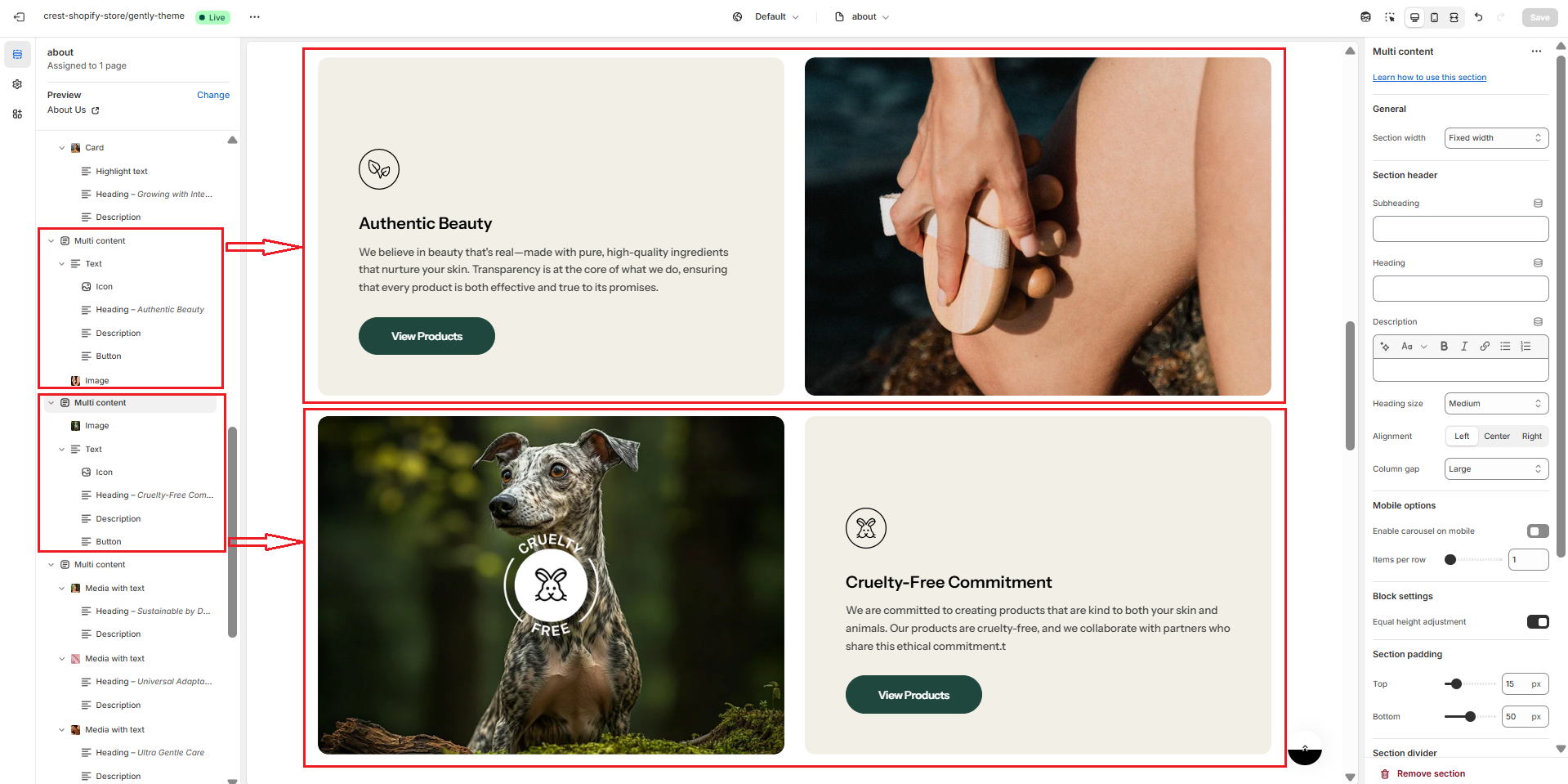
The **Multi-content section** is a flexible layout that allows you to stack and arrange multiple content blocks—such as text, images, buttons, icons, and media—within a single customizable section. It’s ideal for building rich, editorial-style layouts, storytelling sequences, or dynamic promotional areas on your storefront.

<figure><img src="https://1059363070-files.gitbook.io/~/files/v0/b/gitbook-x-prod.appspot.com/o/spaces%2FRcDJSoM26kdEZlVFekVW%2Fuploads%2FBT5cO8en6IJXpDfxBqJD%2FScreenshot%202025-05-11%20164816.png?alt=media&amp;token=44006d03-8da3-42f6-a0be-0b77396114d5" alt=""><figcaption></figcaption></figure>

### Section settings <a href="#section-settings" id="section-settings"></a>

#### General settings <a href="#general-setting" id="general-setting"></a>

<figure><img src="https://1059363070-files.gitbook.io/~/files/v0/b/gitbook-x-prod.appspot.com/o/spaces%2FRcDJSoM26kdEZlVFekVW%2Fuploads%2FGswprTmXi2CqIXTmTqDH%2Fimage.png?alt=media&amp;token=98d6bbf2-75a9-414d-916d-6b54f1744dd4" alt=""><figcaption></figcaption></figure>

<figure><img src="https://1059363070-files.gitbook.io/~/files/v0/b/gitbook-x-prod.appspot.com/o/spaces%2FRcDJSoM26kdEZlVFekVW%2Fuploads%2FAYF3vDr2MmjvCtdxnTK6%2Fimage.png?alt=media&amp;token=51c4a433-1303-48a0-9ccc-5688d6312c75" alt=""><figcaption></figcaption></figure>

<table><thead><tr><th width="215">Setting</th><th>Description</th></tr></thead><tbody><tr><td><strong>Section width</strong></td><td><p>3 options for container</p><ul><li><strong>Stretch width</strong>: span the section width regardless of screen size.</li><li><strong>Fixed width</strong>: depends on your page content width in <strong>Theme settings</strong> <strong>-></strong> <strong>Layout</strong>.</li><li><strong>Full width</strong>: takes up the entire space on the page and it usually resizes itself to fit the size of the screen.</li></ul></td></tr><tr><td><strong>Subheading</strong></td><td>The subheading of the section</td></tr><tr><td><strong>Enable heading underline animation</strong></td><td>Turn on an animated underline effect for headings. Switch off to keep a static look.</td></tr><tr><td><strong>Underline style</strong></td><td><p>Choose the underline’s look. Include:</p><ul><li><strong>Include</strong>: Simple underline – Clean straight line beneath the text.</li><li><strong>Curve stroke:</strong> Soft, hand-drawn curved stroke for a casual feel.</li><li><strong>Squiggle underline:</strong> Wavy line for a lively, attention-grabbing look.</li></ul><p><em>* Note: Only appears when</em> <strong>Enable heading underline animation</strong> <em>is enabled</em></p></td></tr><tr><td><strong>Underline color</strong></td><td>Pick the color used for the underline.<br><em>* Note: Only appears when</em> <strong>Enable heading underline animation</strong> <em>is enabled</em></td></tr><tr><td><strong>Heading</strong></td><td>The title of the section</td></tr><tr><td><strong>Description</strong></td><td>The description of the section</td></tr><tr><td><strong>Heading size</strong></td><td><p>The size of the title:</p><ul><li><strong>Small</strong></li><li><strong>Medium</strong></li><li><strong>Large</strong></li></ul></td></tr><tr><td><strong>Alignment</strong></td><td><p>The position of the heading and description.</p><ul><li><strong>Left</strong></li><li><strong>Center</strong></li><li><strong>Right</strong></li></ul></td></tr><tr><td><strong>Column gap</strong></td><td><p>4 options for column gap</p><ul><li><strong>No gap</strong></li><li><strong>Small</strong></li><li><strong>Medium</strong></li><li><strong>Large</strong></li></ul></td></tr><tr><td><strong>Equal height adjustment</strong></td><td>Make the block's height auto adjusted to have the same height</td></tr></tbody></table>

#### Mobile options <a href="#blog-posts" id="blog-posts"></a>

<figure><img src="https://1059363070-files.gitbook.io/~/files/v0/b/gitbook-x-prod.appspot.com/o/spaces%2FRcDJSoM26kdEZlVFekVW%2Fuploads%2FHz1ypmXz0apds1UZk3df%2Fimage.png?alt=media&amp;token=fb47f9d8-0913-4545-bc43-6f9e2ca94e16" alt="" width="266"><figcaption></figcaption></figure>

<table><thead><tr><th width="215">Setting</th><th>Description</th></tr></thead><tbody><tr><td><strong>Enable carousel on mobile</strong></td><td>This setting is used for enabling the carousel layout on mobile</td></tr><tr><td><strong>Items per row</strong></td><td>Number of columns to display on mobile screen.</td></tr><tr><td><strong>Hide description on mobile</strong></td><td>Hide description on mobile</td></tr></tbody></table>

#### Section padding <a href="#section-padding" id="section-padding"></a>

<figure><img src="https://1059363070-files.gitbook.io/~/files/v0/b/gitbook-x-prod.appspot.com/o/spaces%2FRcDJSoM26kdEZlVFekVW%2Fuploads%2F7y1uEU4nl09MIQqLdC1U%2Fimage.png?alt=media&amp;token=efa0f52e-d515-46ab-8011-fa2c5a41225c" alt=""><figcaption></figcaption></figure>

<table><thead><tr><th width="215">Setting</th><th>Description</th></tr></thead><tbody><tr><td><strong>Top</strong></td><td>Customize the top margin of the section</td></tr><tr><td><strong>Bottom</strong></td><td>Customize the bottom margin of the section</td></tr></tbody></table>

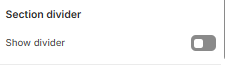
#### Section divider

<figure><img src="https://1059363070-files.gitbook.io/~/files/v0/b/gitbook-x-prod.appspot.com/o/spaces%2FRcDJSoM26kdEZlVFekVW%2Fuploads%2FnFpd4ejei7wmYHvwZ2ox%2Fimage.png?alt=media&amp;token=ab0aa9dc-2762-4471-b684-8ca97a570b67" alt=""><figcaption></figcaption></figure>

<table><thead><tr><th width="215">Setting</th><th>Description</th></tr></thead><tbody><tr><td><strong>Show divider</strong></td><td>Display a dividing line to separate from the previous section</td></tr></tbody></table>